Fast Charging Explained: Cables, Chargers, and Safety
Learn how fast charging works, the differences between USB Power Delivery and Qualcomm Quick Charge, which cables to use, and how to stay safe.
Basics of Fast Charging
Fast charging is about delivering more electrical power to a device in a controlled way, so it recharges far quicker than legacy rates. Power is measured in watts, the product of voltage and current. Modern phones, tablets, and laptops negotiate charging through smart protocols such as USB Power Delivery, Quick Charge, and PPS, agreeing on safe voltage and current levels before ramping up. The device, not the wall plug, ultimately decides how much power to accept, relying on an internal battery management system and charge controller to protect the battery. This negotiation is continuous, adjusting for temperature, battery state, and cable capability. Real-world speeds depend on the weakest link: the charger, the cable, and the device. Expect rapid top‑ups when the battery is low, followed by a gentle taper to protect longevity. Headline wattage figures are helpful, but compatibility, thermal limits, and quality components determine whether you actually see those speeds consistently and safely.
Cables Matter More Than You Think
A cable is not just a wire; it is a critical part of the fast charging chain. The copper wire gauge, connector quality, and internal design influence resistance, heat, and voltage drop. Many USB‑C cables are rated for up to 3 A, while higher power delivery often requires a 5 A‑capable cable with an e‑marker chip that advertises its capabilities. Without that e‑marker, a charger and device may limit current to stay safe, even if both support higher wattage. Cable length also matters: longer cables typically increase resistance, reducing efficiency and speed. Do not assume that high data bandwidth equals high power capacity; some fast data cables are only mediocre for charging and vice versa. Look for proper certification, avoid frayed or bent connectors, and remember that a worn cable can cause heat, intermittent charging, or device throttling. Choosing a high‑quality, appropriately rated USB‑C cable is often the quickest fix for inconsistent fast charging.
Choosing the Right Charger
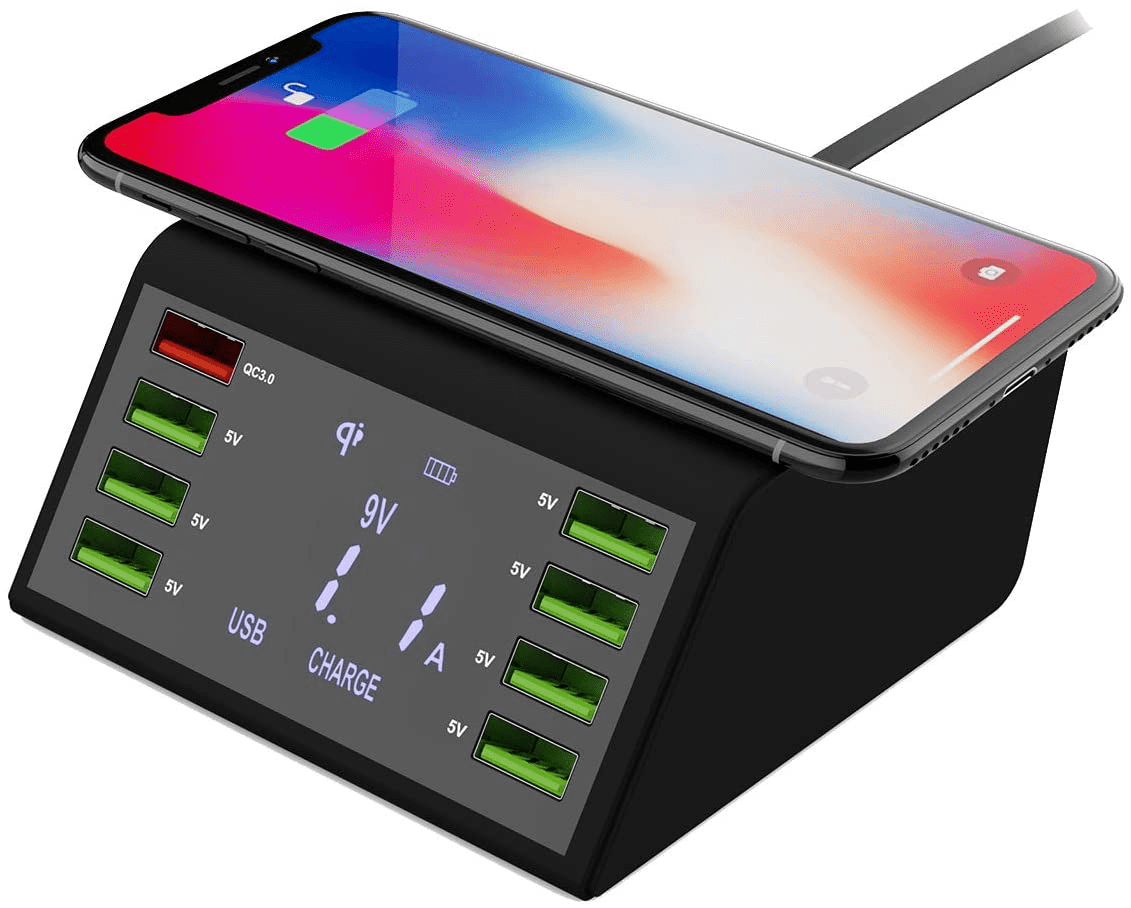
Chargers vary widely, from compact phone bricks to multi‑port GaN adapters capable of powering laptops. Key specs include maximum wattage, supported protocols like USB Power Delivery and PPS, and how power is shared across ports. Multi‑port units advertise a total budget, but they may dynamically allocate power depending on what is plugged in, so a single device can get full speed while multiple devices split the pool. PPS can fine‑tune voltage in small steps for cooler, more efficient charging on compatible devices. Quality chargers include over‑voltage, over‑current, short‑circuit, and thermal protection. Choose a wattage with reasonable headroom above your device's typical draw to reduce heat and ensure consistency. If you own a mix of phones, tablets, and laptops, a higher‑wattage, standards‑compliant GaN charger with multiple USB‑C ports is a flexible option. Always check the label for supported protocols and per‑port limits to avoid surprises when everything is connected.
Compatibility and Negotiation
Fast charging works because the charger and device perform a handshake to determine safe operating levels. With USB Power Delivery, a charger advertises supported profiles, and the device requests what it can handle. If any part of the chain lacks a feature, charging falls back to a common denominator, ensuring backward compatibility. Legacy USB‑A ports and some proprietary methods can still fast charge certain devices, but the results vary, and you may not get the highest speeds. Laptops typically need higher wattage than phones; they might sip power when idle but throttle or even discharge slowly under heavy load if the adapter is under‑spec. Mismatched gear is not dangerous when standards are followed; the device simply refuses unsafe power levels. For best results, pair a standards‑compliant USB‑C charger with a properly rated cable, and understand that the device's internal limits, firmware, and thermal constraints ultimately gate the speed you will see.
Battery Health and Thermal Safety
Lithium‑ion batteries prefer controlled charging curves, usually fast during a constant current phase at low to mid state of charge, then slower in constant voltage as they approach full. Heat is the main enemy of battery health, so effective thermal management is critical. Modern devices throttle charging when temperatures rise, sometimes pausing altogether to protect the cell. You can help by keeping the device ventilated, avoiding thick or insulating cases during heavy charging, and not covering the device with pillows or blankets. Using the device for gaming or navigation while fast charging adds heat; if possible, let it rest for peak speeds. Many devices offer adaptive charging features that learn your routine, topping up slowly to reduce time spent at 100 percent. In daily use, aim for balanced habits: avoid extreme temperatures, do not run the battery to zero regularly, and accept that occasional slower charging can be healthier for the battery in the long run.
Wired, Wireless, and On‑the‑Go Options
For maximum efficiency and speed, wired charging is usually best, thanks to lower losses and precise control. Wireless charging adds convenience but converts more energy into heat, so it may be slower or throttle sooner, especially if alignment is off or a case is thick. Magnetic accessories help with coil alignment but still benefit from good ventilation. Power banks bring fast charging on the move; look for PD output ratings, pass‑through behaviors, and whether multiple ports share power. In cars, higher‑power USB‑C adapters with proper protocols can comfortably fast charge phones and small tablets; avoid daisy‑chaining through unpowered hubs. For laptops, ensure the adapter and cable are rated for the required wattage and that the bank or charger supports the necessary PD profiles or PPS steps. Always check cable ratings, because a 5 A‑capable cable can be the difference between true fast charging and a limited fallback that feels underwhelming.
Troubleshooting and Risk Reduction
If fast charging seems slow, isolate the variables systematically. Test with a known good charger, a short, high‑quality USB‑C cable, and a clean power outlet. Inspect ports for dust or lint that can prevent solid contact; a gentle, careful cleaning often restores reliability. Watch for charge indicators that confirm fast mode, and consider device firmware updates that improve power negotiation. Beware counterfeit accessories that look legitimate but lack proper safety features; seek signs of real certification and robust construction. To reduce risk, avoid charging under a pillow, give devices space to dissipate heat, and use surge protection when possible. When traveling, ensure your universal adapter supports the required current and does not wobble in the socket. If you notice excessive heat, a burning smell, or a swollen battery, stop using the device and consult a professional. Responsible charging practices and quality components deliver speed without sacrificing safety or battery longevity.